
How to Get More Google Reviews: 17 Proven Strategies That Actually Work
Stop waiting for reviews to trickle in. Learn 17 proven strategies to systematically generate more Google reviews, boost local rankings, and grow your business.
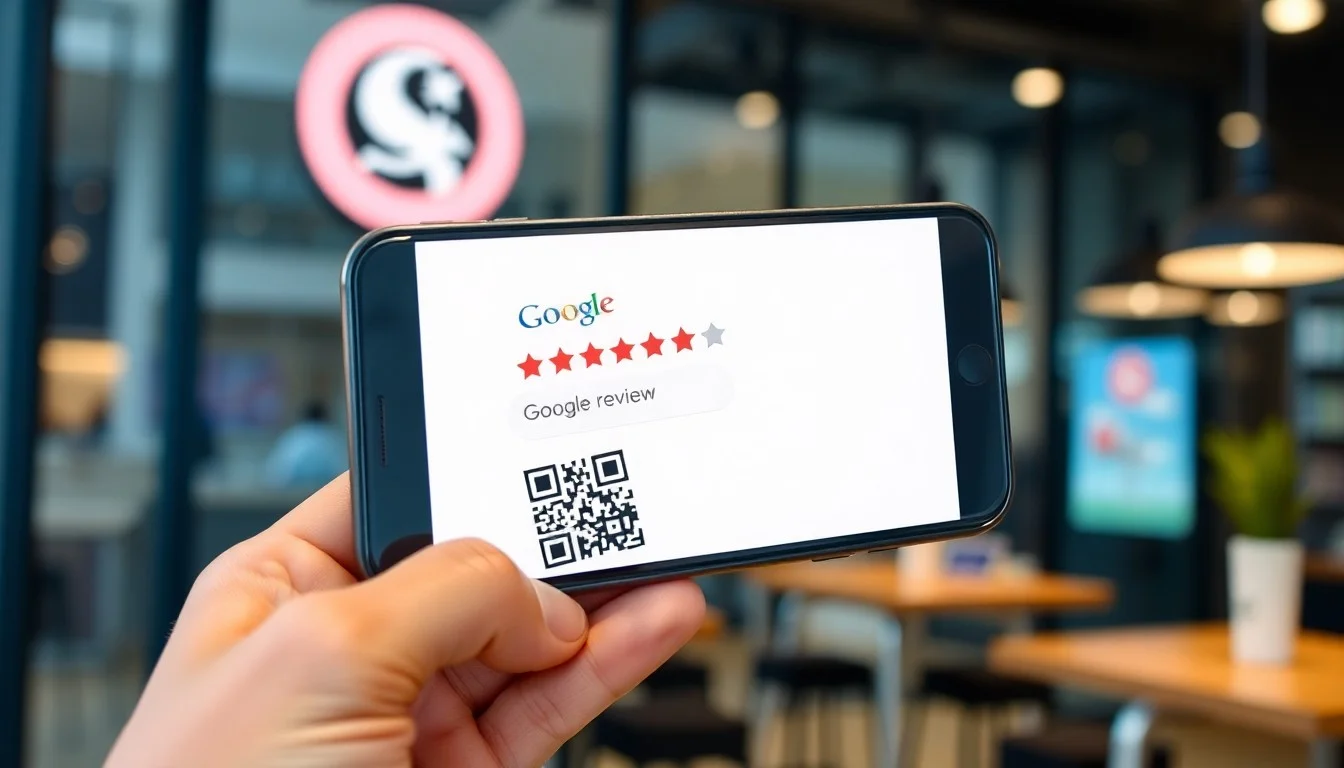
How to Get More Google Reviews: 17 Proven Strategies That Actually Work
You've optimized your Google Business Profile. Your service is excellent. Customers love you. Yet your review count barely budges past 20, while competitors with worse service somehow have 200+ reviews.
Sound familiar?
Here's the uncomfortable truth: 97% of satisfied customers never leave a review unless you ask them. That one statistic explains why great businesses have embarrassingly few reviews—and why mediocre businesses with aggressive review strategies dominate local search results.
The good news? Getting more Google reviews isn't about luck or manipulation. It's about implementing a systematic review generation framework that turns happy customers into vocal advocates.
This guide reveals 17 proven strategies that successful local businesses use to generate consistent review flow. No sketchy tactics. No policy violations. Just practical, scalable methods that work in the real world.
Why Review Quantity Actually Matters for Your Business
Before diving into tactics, understand what's at stake:
Local Search Rankings: Google's algorithm weighs review quantity heavily. Businesses with 40+ reviews rank significantly higher than those with 10 reviews, even with identical ratings. A BrightLocal study found that review quantity is the #3 ranking factor for local pack results.
Consumer Trust: 72% of consumers won't take action until they read reviews. More importantly, they look for recent and consistent review flow. A business with 5 reviews from 2023 looks abandoned compared to one with 50 reviews including several from this week.
Conversion Impact: Each additional star in your rating can increase conversion rates by 25-33%. But you need volume to maintain that high rating. A single 1-star review destroys a 5.0 rating when you only have 4 reviews. With 50 reviews, that same 1-star barely dents your average.
Competitive Moat: Reviews compound over time. A competitor who starts generating 10 reviews/month will be nearly impossible to catch in 6 months. Starting your review generation system now creates a lasting advantage.
The Review Velocity Formula: Top-performing local businesses maintain this benchmark: 5-10% of customers leave reviews. If you serve 100 customers monthly, you should generate 5-10 new reviews. Anything less means you're leaving money on the table.
The Review Generation Framework: A Systematic Approach
Before implementing individual tactics, understand the framework that makes them work:
1. Timing Is Everything: Ask at the peak of customer satisfaction—not when they walk in, not a month later. Identify your "wow moment" and request reviews immediately after.
2. Remove All Friction: Every click, every login, every extra step costs you 50% of potential reviewers. Make the process so simple a distracted customer can complete it in 15 seconds.
3. Make It Personal: Generic "we'd love a review" messages get ignored. Personalized requests from specific team members get 3x better response rates.
4. Create Multiple Touchpoints: Don't rely on a single channel. Use in-person asks, text messages, email, QR codes, and staff follow-ups to catch customers at different moments.
5. Build It Into Your Operations: Review generation can't be an afterthought. It must be embedded in your service delivery, staff training, and customer journey.
6. Automate the System: Manual review requests fail because humans forget. Automated systems generate consistent results without requiring daily effort.
Now let's dive into the 17 specific strategies.
Timing-Based Strategies: When to Ask for Reviews
Strategy #1: The "Peak Satisfaction Moment" Request
The Concept: Every business has a specific moment when customer satisfaction peaks. Ask for reviews at that exact moment—not before, not after.
How to Find Your Peak Moment:
- Restaurants: Right after the meal, before payment (satisfaction is highest)
- Salons/Spas: Immediately after revealing the transformation (emotional high point)
- Home Services: Within 2 hours of job completion (while results are fresh)
- Medical/Dental: After procedure but before billing discussion
- Retail: After successful product use (3-7 days post-purchase)
- Professional Services: After delivering key results/wins
Implementation Example (Restaurant): Train servers to say this after clearing dessert plates and before presenting the check:
"I'm so glad you enjoyed your meal! We're a small family business, and online reviews really help us grow. If you had a great experience tonight, would you mind leaving us a quick Google review? I can send you the link right now to your phone—it takes just 30 seconds."
If they agree, text them the direct review link immediately while they're still at the table.
Why It Works: You're capitalizing on immediate emotional satisfaction before life distracts them. Wait until tomorrow, and you've lost 80% of potential reviewers.
Strategy #2: The "24-Hour Post-Service" Automated Follow-Up
The Concept: Not everyone will leave a review in person. Catch them with an automated follow-up exactly 24 hours later while the positive experience is still fresh.
Email Template:
Subject: "Quick question about your [Service] experience"
Hi [First Name],

Thank you for choosing [Business Name] yesterday! I wanted to personally follow up to make sure everything went smoothly with your [specific service].

If you had a great experience (we hope you did!), would you mind sharing it in a quick Google review? It takes less than a minute and truly helps our small business reach more people who need [service type].

[Leave a Review Button → Direct Review Link]

Your feedback means the world to us. Thank you for supporting a local business!

Best regards,
[Your Name]
[Your Role]
[Business Name]
SMS Alternative (higher open rates):
Hi [Name], this is [Your Name] from [Business]. Thanks for coming in yesterday! If you were happy with your [service], we'd love a quick Google review: [short link]. Takes 30 seconds. Thanks for supporting local business! 😊
Implementation: Use automation tools like Reply Fast to trigger these messages exactly 24 hours post-service. Manual systems fail because staff forget or get too busy.
Pro Tip: A/B test your timing. Some industries see better response at 24 hours, others at 48 or 72 hours. Track your open and conversion rates to optimize.
Strategy #3: The "Multi-Touch Sequence" for High-Value Clients
The Concept: For customers with high lifetime value (large purchases, long-term contracts, premium services), implement a multi-touch review request sequence rather than a single ask.
5-Touch Sequence:
Touch 1 (Day 0): In-person verbal request at peak satisfaction moment
Touch 2 (Day 1): Personalized SMS with direct review link
Touch 3 (Day 3): Email from the specific team member they worked with
Touch 4 (Day 7): Video message from owner/manager thanking them and requesting review
Touch 5 (Day 14): Final automated email with social proof ("Join the 300+ happy customers who've shared their experience")
Sample Day 7 Video Script:
"Hi [Name], this is [Owner Name]. I wanted to personally thank you for choosing [Business] for your [service]. [Specific Detail About Their Service] went incredibly well, and I'm thrilled we could help you [outcome achieved]. If you're happy with the results, I'd be grateful if you could share a quick review on Google. It really helps us grow and serve more families in [City]. Thank you again for your trust!"
Why It Works: High-value clients deserve extra attention. Multiple respectful touchpoints show you value their feedback and significantly increase response rates without being pushy.
Channel-Based Strategies: Where to Ask for Reviews
Strategy #4: The "QR Code Everywhere" Approach
The Concept: Make it physically impossible for customers to miss opportunities to leave reviews by strategically placing QR codes throughout your location and materials.
Strategic QR Code Placements:
- Receipts/Invoices (printed or digital)
- Table Tents (restaurants/cafes)
- Bathroom Mirrors (captive audience!)
- Exit Door Signage
- Packaging/Shopping Bags
- Business Cards (back side)
- Service Vehicle Wraps (contractors)
- Thank You Cards (retail/e-commerce)
- Waiting Room Walls (healthcare)
- Checkout Counter Stands
Creating Your QR Code:
- Get your Google review link: [Your Google Business Profile] → "Get more reviews" → Copy short link
- Generate QR code at QR Code Generator
- Add compelling call-to-action text
- Test it yourself before printing
Signage Copy Examples:
Simple Version:
Love your experience?
Leave us a Google review!
[QR Code]
Scan & share in 30 seconds
Social Proof Version:
Join 500+ Happy Customers!
Scan to leave a review
[QR Code]
Your feedback helps local business grow
Why It Works: QR codes eliminate the biggest friction point—manually searching for your business. One scan opens the review form directly. Plus, physical reminders catch people at decision moments when verbal asks weren't made.
Strategy #5: The "SMS Review Link" (Highest Conversion Channel)
The Concept: Text messages have 98% open rates vs. 20% for email. A simple SMS with a direct review link immediately after service converts at 8-15%, making it the highest-performing digital channel.
The Perfect Review Request SMS:
Components:
- Personal greeting (use first names)
- Specific service mention (shows it's not generic spam)
- Clear value proposition ("helps local business")
- Direct review link (shortened URL)
- Time estimate ("30 seconds")
- Gratitude expression
Template:
Hi [Name]! [Staff Name] here from [Business]. Thanks for coming in today for your [specific service]! If everything went well, would you mind leaving us a quick Google review? [short link] Takes 30 sec & really helps our small business. Thank you! 🙏
Advanced: Conditional Messaging:
Send different messages based on customer sentiment:
For clearly delighted customers:
Hi [Name]! So glad you loved your [service] today! Would you share your experience in a quick Google review? [link] Your feedback means everything to our team. Thank you!
For neutral/unclear sentiment:
Hi [Name], this is [Name] from [Business]. How was everything with your [service] today? I want to make sure you're completely satisfied. Reply or call if there's anything we can improve!
Only request reviews from customers who express positive sentiment. If they raise concerns, address them first—never send unhappy customers to your review page.
Implementation: Use Reply Fast's automated SMS review requests to send messages immediately after service without manual work.
Strategy #6: The "Email Signature" Passive Request
The Concept: Every email your team sends is an opportunity. Add a review request to email signatures so every customer interaction includes a passive call-to-action.
Email Signature Template:
---
[Your Name]
[Title] | [Business Name]
[Phone] | [Email]
[Website]

Love our service? Leave us a review!
⭐ [Google Review Link] ⭐
Advanced Version (with social proof):
---
[Your Name]
[Title] | [Business Name]
[Phone] | [Email]

Rated 4.8/5 stars by 300+ happy customers
Help us grow: Leave a Google Review ⭐
Why It Works: This is a "set it and forget it" strategy. Every email becomes a review generation opportunity without extra effort. Customers who are already engaging with you via email are warm leads for reviews.
Strategy #7: The "Social Media Story" Conversion Funnel
The Concept: Use Instagram/Facebook Stories to drive followers to leave Google reviews. Your social audience already likes your business—give them an easy path to become public advocates.
Story Sequence:
Story 1 (Awareness):
- Image: Your business logo/storefront
- Text: "Did you know? Google reviews help us show up when locals search for [service]!"
- Sticker: Poll - "Have you left us a Google review?" Yes/No
Story 2 (Appeal):
- Image: Photos of happy customers/team
- Text: "We're trying to reach [goal number] reviews to help more [City] families find us!"
- CTA: "Tap to help us grow"
Story 3 (Action):
- Link sticker directly to your Google review page
- Text: "Takes 30 seconds! Tap the link, leave a quick rating & comment. Thank you for supporting local business! ❤️"
Story 4 (Gratitude):
- Repost recent 5-star reviews (with permission)
- Text: "Thank you to everyone who's left a review! We appreciate you!"
Instagram/Facebook Bio Optimization:
Add your Google review link directly to your bio:
📍 [City]'s Best [Service]
⭐ Rate us on Google: [link]
📞 [Phone] | 💬 [Book Now Link]
Why It Works: Social followers have high trust and engagement with your brand. You're meeting them where they already spend time and converting passive followers into active review advocates.
Automation Strategies: How to Scale Review Generation
Strategy #8: The "Automated Review Funnel" (Set It and Forget It)
The Concept: Build an automated system that requests reviews from every customer without requiring daily manual effort. This is the difference between businesses with 20 reviews and businesses with 200+.
The Complete Automated Funnel:
Step 1: Collect customer email/phone at point of service
- Train staff to gather contact info ("Can I text you the receipt?")
- Use digital intake forms that capture contact data
- POS systems that automatically record customer details
Step 2: Trigger automated sequence post-service
- 1 hour later: "Thank you for visiting!" message (no review ask yet)
- 24 hours later: Review request email
- 25 hours later: Review request SMS (stagger channels)
- 72 hours later: Final email with social proof
Step 3: Conditional branching based on response
- If they left a review → "Thank you for the review!" message, remove from sequence
- If they replied with issue → Route to customer service, DO NOT request review
- If no response after 72 hours → End sequence, add to "inactive" list
Step 4: Monthly re-engagement for repeat customers
- Customers who return 30+ days later: Send new review request if they haven't reviewed yet
- Customers who left old reviews: Thank them periodically (builds long-term relationship)
Implementation with Reply Fast:
Reply Fast automates this entire funnel:
- Connects to your customer database/CRM
- Monitors for new service completions
- Sends personalized review requests at optimal times
- Tracks who has/hasn't reviewed
- Provides dashboard showing review generation metrics
Manual systems fail because staff forget, get busy, or feel awkward asking repeatedly. Automation ensures every customer gets the optimal review request experience consistently.
Strategy #9: The "CRM Integration" for High-Volume Businesses
The Concept: For businesses serving 100+ customers monthly, manually tracking review requests is impossible. Integrate review generation directly into your CRM/booking system to create a seamless automated flow.
Integration Requirements:
Must-Have CRM Features:
- Customer contact information storage
- Service completion tracking/timestamps
- Email/SMS sending capability
- Tag/segment customers by review status
- Automated workflow triggers
Review Generation Workflow:
Customer Completes Service
     ↓
CRM marks service as "completed"
     ↓
Wait 24 hours
     ↓
Check: Has customer reviewed before?
     ↓ No
Send personalized review request
     ↓
Wait 48 hours
     ↓
Check: Did they leave a review?
     ↓ No
Send follow-up reminder
     ↓
Update customer record: "Review requested"
Popular CRM Systems with Review Automation:
- Service-Based: Jobber, Housecall Pro, ServiceTitan
- Healthcare: SimplePractice, Jane App, Clinic Sense
- Hospitality: Toast, Square for Restaurants, OpenTable
- Retail: Shopify, Lightspeed, Vend
- Multi-Purpose: HubSpot, Salesforce (with custom automation)
Or Use Reply Fast: Rather than building complex CRM workflows, Reply Fast provides purpose-built review automation that integrates with your existing systems. No technical setup required.
Strategy #10: The "Thank You Page" Conversion
The Concept: For businesses with online booking/purchases, the confirmation page is prime real estate for review requests. Customers are already engaged and in a positive mindset after booking/buying.
Implementation for Booking Systems:
Add a review request section to your confirmation page:
✅ Your Appointment is Confirmed!

We're excited to see you on [Date] at [Time].

Before You Go:
Have you visited us before? If you had a great experience,
we'd be incredibly grateful for a Google review!

[Leave a Review Button → Direct Link]

Reviews help other [City] families discover our [service].
Thank you for supporting local business!
Implementation for E-Commerce/Retail:
Post-Purchase Email Sequence:
Email 1 (Immediately): Order confirmation (no review ask)
Email 2 (After delivery/pickup):
Subject: "How's your new [Product]?"
Hi [Name],

I hope you're loving your new [Product]! We wanted to check in and make sure everything arrived perfectly.

Now that you've had a chance to use it, we'd love to hear your thoughts. Would you mind leaving a quick review on Google?

[Leave a Review]

Your feedback helps other shoppers make confident decisions and supports our small business.

Thank you!
[Your Team]
Timing for Post-Purchase Reviews:
- Consumables/Quick Use (food, beauty): 3-7 days
- Durable Goods (furniture, electronics): 14-21 days
- Services (lessons, memberships): After 3rd visit/session
Why It Works: You're catching customers at a moment of completion satisfaction when they're already interacting with your digital touchpoints. One extra button click is minimal friction.
Staff Enablement Strategies: Empower Your Team
Strategy #11: The "Staff Incentive Program" (Done Right)
The Concept: Staff members who directly interact with customers are your best review generators—if they're motivated and trained to ask. Create incentive structures that reward review generation without violating Google's policies.
IMPORTANT: What's Legal vs. Prohibited:
✅ ALLOWED:
- Incentivizing staff for asking for reviews
- Bonuses based on review request activity
- Recognition for team members with most review requests
- Training competitions around review generation
❌ PROHIBITED (Google/FTC violations):
- Paying customers for reviews
- Offering discounts/freebies in exchange for reviews
- Incentivizing only positive reviews
- Requiring reviews as condition of service
Legal Staff Incentive Structures:
Option 1: Volume-Based
- Bonus for every 10 reviews generated in a month
- Track via unique QR codes or links per staff member
- Example: "$50 bonus for every 10 new reviews you help generate"
Option 2: Competition-Based
- Monthly leaderboard showing review generation by team member
- Winner gets preferred schedule, gift card, or recognition
- Creates friendly competition and team engagement
Option 3: Team Goal-Based
- Set monthly team goal (e.g., "Generate 25 new reviews")
- If goal hit, entire team gets bonus/celebration
- Builds collaborative culture around review generation
Sample Staff Training Script:
Train your team to say this naturally after delivering great service:
"I'm so glad you had a great experience today! We're a locally-owned business, and online reviews really help us compete with bigger companies. If you have 30 seconds, would you mind leaving us a Google review? I can send you the link right now—it's super quick."
Key Training Points:
- Ask with confidence (it's helping the business, not begging)
- Time it at peak satisfaction moment
- Make it specific ("Google review" not vague "review")
- Offer to send link immediately (remove friction)
- Accept "no" gracefully (never pressure)
Strategy #12: The "Manager Follow-Up" for VIP Customers
The Concept: High-value customers, difficult projects, or premium services deserve personal attention from management. A direct call or message from a manager/owner significantly increases review likelihood.
When to Use Manager Follow-Up:
- Projects over $X,XXX value
- First-time customers who had exceptional experience
- Long-term clients (relationship building)
- Services where personalization matters (healthcare, professional services)
- Situations where you went above and beyond
Manager Phone Call Script:
"Hi [Name], this is [Manager Name], [Title] at [Business]. I wanted to personally call to thank you for choosing us for [specific service]. I know you had a few unique requirements with [specific detail], and I'm thrilled we could deliver exactly what you needed.
I also wanted to ask—if you were happy with how everything turned out, would you consider sharing your experience in a Google review? As a small business, word-of-mouth and online reviews are truly how we grow. I can text you the link right now if that would be helpful.
Either way, thank you again for your trust. We really appreciate your business."
Manager Email Alternative (for less intrusive approach):
Subject: "Personal note from [Manager Name]"
Hi [Name],

I wanted to personally reach out to thank you for choosing [Business] for your [service]. [Specific detail about their project/service] was a unique challenge, and I'm proud of how our team delivered for you.

As a small, locally-owned business, we rely heavily on word-of-mouth and online reviews to grow. If you were happy with your experience, I would be deeply grateful if you'd share a quick review on Google.

[Leave a Review Button]

If there's anything we could have done better, I'd love to hear your feedback directly. You can reply to this email or call me at [direct line].

Thank you again for supporting a local business.

Best regards,
[Manager Name]
[Title]
Why It Works: Personal outreach from leadership shows customers their experience matters. It's harder to ignore a direct request from the owner/manager vs. an automated email. Use this sparingly for maximum impact.
Strategy #13: The "Pre-Qualified Ask" (Only Request from Happy Customers)
The Concept: Not every customer should be sent to your Google review page. Filter for satisfaction first, then request reviews only from demonstrably happy customers. This protects your rating while increasing conversion rates.
The Two-Step Process:
Step 1: Satisfaction Check (Internal)
Send initial message asking about their experience:
Email/SMS:
Hi [Name],

Thanks for choosing [Business] for your [service]! I wanted to check in:

How would you rate your experience?

[Excellent] [Good] [Could Be Better]

Your feedback helps us improve!
Step 2: Conditional Response
If "Excellent" → Send to Google review page immediately:
That's wonderful to hear! Would you mind sharing your experience in a Google review? It really helps other [City] residents find us.

[Leave a Review]
If "Good" → Ask for feedback first:
Thanks for the feedback! We'd love to know what would have made it "Excellent." Could you share what we could improve?
Only send to Google if their response is positive
If "Could Be Better" → Route to customer service:
I'm sorry to hear that. Your satisfaction is our top priority. [Manager Name] will reach out within 24 hours to make this right.
NEVER send unhappy customers to Google
Why It Works: This filtering approach ensures you're only requesting reviews from customers likely to leave positive feedback, protecting your overall rating. Plus, it catches issues before they become public negative reviews.
Reply Fast Implementation: Reply Fast's smart filtering automatically categorizes customer sentiment and routes them appropriately—happy customers to review pages, unhappy customers to your support team.
Creating Frictionless Review Requests
Strategy #14: The "One-Click Review Link" Optimization
The Concept: Every extra step in the review process costs you 50% of potential reviewers. Optimize your review link to eliminate all friction and make reviewing take literally 15 seconds.
Creating Your Direct Review Link:
Step 1: Get your Place ID
- Go to Google Place ID Finder
- Search for your business
- Copy the Place ID (looks like: ChIJXxxxxxxxxxxxxxx)
Step 2: Build your direct link
https://search.google.com/local/writereview?placeid=YOUR_PLACE_ID
This link bypasses the business profile and opens directly to the review writing form.
Step 3: Shorten the URL
Use Bitly, Rebrandly, or your own domain to create a memorable short link:
yourbusiness.com/reviewbit.ly/YourBizReviewreview.yourbusiness.com
Step 4: Test on mobile
The majority of reviews are left on phones. Test your link on iOS and Android to ensure it opens the Google Maps app directly (not a browser).
Why It Works: Customers who click your link should land on a page where they can immediately start writing. No searching, no navigation, no login required (if they're already signed into Google). Reduce friction, increase conversions.
Strategy #15: The "Review Request Template Library"
The Concept: Don't reinvent the wheel every time you ask for a review. Create a template library for different scenarios, channels, and customer types that staff can quickly customize.
Template Library Categories:
1. In-Person Request Scripts
- First-time customer
- Repeat customer
- After resolving an issue
- High-value service completion
2. Text Message Templates
- Immediate post-service
- 24-hour follow-up
- Repeat customer re-engagement
- Seasonal check-in
3. Email Templates
- Initial request
- Second reminder
- Manager personal note
- Holiday/milestone message
4. Social Media Templates
- Instagram Story sequence
- Facebook post requesting reviews
- LinkedIn testimonial request
- Twitter/X review appreciation
Example Template Library (Restaurant):
In-Person Script After Great Meal:
"I'm so glad you enjoyed your [specific dish]! We're a family-owned restaurant, and online reviews help us so much. Would you mind leaving us a quick Google review? I can text you the link right now—takes just 30 seconds."
Text Message - First-Time Customer:
Hi [Name]! Thanks for dining with us tonight. We hope you loved the [dish they ordered]. If you did, we'd be grateful for a Google review: [link]. Helps our family business grow! 🙏
Email - Repeat Customer:
Subject: You're one of our favorites!

Hi [Name],

We've loved having you dine with us [X] times this year! Your support means everything to our family.

If you haven't already, would you mind leaving us a Google review? As regulars go, your voice carries real weight with people discovering us for the first time.

[Leave a Review]

Next time you're in, dessert is on us. 😊

Thank you!
[Owner Name]
Social Media - Instagram Story:
"We're 10 reviews away from 500! 🎉
Help us celebrate by sharing your experience
Tap the link → Leave a review → Thank you! ❤️
[Link Sticker]"
Why It Works: Templates ensure consistency, save time, and help less-confident staff members ask comfortably. Customize the name and details, send immediately, and maintain steady review flow.
What NOT to Do: FTC & Google Policy Compliance
Strategy #16: Understanding Legal Boundaries (Avoid These Mistakes)
The Concept: Aggressive review generation can backfire spectacularly if you violate Google's policies or FTC regulations. Knowing what NOT to do is as important as knowing effective tactics.
Prohibited Practices (Will Get You Penalized or Banned):
❌ Buying Reviews
- Paying any individual or service to write reviews
- Using "review services" that provide fake reviews
- Penalty: Google removes reviews, suspends your Business Profile, potential legal action
❌ Incentivizing Positive Reviews
- "Leave a 5-star review and get 10% off"
- Discounts/freebies conditional on positive ratings
- Entering customers into contests ONLY if they leave positive reviews
- Penalty: FTC fines, Google removes reviews, loss of trust
❌ Review Gating
- Filtering customers and only sending happy ones to Google (this is controversial - see Strategy #13 for compliant alternative)
- Using software that asks satisfaction first, then directs only satisfied customers to Google
- Google's Stance: Technically against policy, but hard to enforce if done subtly
✅ Legal Alternative: Ask ALL customers for feedback, then naturally follow up with happy customers. Don't explicitly gate based on sentiment, but you can prioritize outreach.
❌ Writing Fake Reviews
- Creating fake Google accounts to review your own business
- Asking friends/family who aren't real customers to leave reviews
- Paying competitors to write negative reviews (yes, this happens)
- Penalty: Criminal charges possible, Google Profile suspension, reputation destruction
❌ Pressuring Customers
- Requiring reviews as condition of service completion
- Repeatedly harassing customers who declined to review
- Threatening or implying negative consequences for not reviewing
- Impact: Negative reviews from annoyed customers, potential harassment claims
❌ Editing/Censoring Reviews
- Asking customers to remove or change negative reviews in exchange for compensation
- Threatening legal action against reviewers (except in cases of clear defamation)
- Google's Policy: Reviews must remain authentic; businesses can't force removal
What IS Allowed (Safe Practices):
✅ Asking for reviews (as long as you don't specify rating) ✅ Making it easy (QR codes, direct links, templates) ✅ Following up (polite reminders to all customers) ✅ Incentivizing staff (for asking, not for positive results) ✅ Responding professionally to all reviews (positive and negative) ✅ Thanking reviewers after they leave reviews (public or private)
The Safe Approach: Ask every customer for a review. Make it easy. Follow up once or twice politely. Accept whatever rating they choose to give. Respond professionally to all feedback.
This keeps you compliant, maintains authenticity, and builds genuine trust with customers and Google.
Industry-Specific Implementation Examples
Strategy #17: Tailoring Tactics to Your Business Type
The Concept: Review generation strategies must adapt to your industry's unique customer journey, transaction frequency, and relationship dynamics. Here's how to implement the framework for different business types.
🍽️ RESTAURANTS & CAFES
Best Tactics:
- Table tent QR codes (Strategy #4)
- Server verbal requests at check presentation (Strategy #1)
- Receipt with review link (Strategy #4)
- Instagram Story campaigns showing dishes + review CTA (Strategy #7)
Optimal Timing: Ask immediately after meal, before payment
Sample Implementation:
- During Service: Server mentions "we're locally owned and reviews help us so much"
- At Check: Include printed "Scan to review us" QR code on receipt
- Post-Visit: Text message 24 hours later: "Thanks for dining with us! Loved that you tried the [dish]. Quick favor—Google review? [link]"
Review Velocity Target: 8-12% of covers (if you serve 100 customers weekly, aim for 8-12 reviews/week)
💇 SALONS, SPAS & BEAUTY SERVICES
Best Tactics:
- Verbal ask immediately after "reveal" moment (Strategy #1)
- Text message while client is still in parking lot (Strategy #5)
- Before/after photos on Instagram with review CTA (Strategy #7)
- Loyalty app integration with review prompts (Strategy #9)
Optimal Timing: Right after showing transformation, while emotions are high
Sample Implementation:
- At Reveal: "[Name], you look amazing! This [color/cut/style] is perfect on you. If you love it, would you mind leaving us a quick Google review? I can text you the link right now."
- Immediate SMS: Send link within 5 minutes while they're still excited
- Follow-Up: Email 24 hours later with before/after photo (if permitted): "You looked incredible! Share your experience: [review link]"
Review Velocity Target: 15-20% (beauty clients are highly engaged with personal service)
🔧 HOME SERVICES (Plumbers, HVAC, Landscaping, Contractors)
Best Tactics:
- "We fixed your problem!" high-satisfaction moment ask (Strategy #1)
- Vehicle decals with QR codes (Strategy #4)
- Text message immediately after leaving property (Strategy #5)
- Manager follow-up call for big jobs (Strategy #12)
Optimal Timing: Immediately after successfully completing job (within 2 hours)
Sample Implementation:
- At Completion: Technician shows customer the work: "I'm glad we could [specific fix] for you today. We're a local family business, and Google reviews really help us grow. Would you mind leaving us a quick review? I can text you the link before I leave."
- In Truck: Tech texts link immediately: "Thanks for choosing [Business]! If you're happy with your [repair], here's our review link: [link]. Appreciate your support!"
- Follow-Up: Automated email 48 hours later: "Hi [Name], just checking in to make sure your [system] is still working perfectly. If you're satisfied, we'd love a Google review: [link]"
Review Velocity Target: 5-8% (home services have lower review rates but high impact per review)
⚕️ HEALTHCARE (Dentists, Doctors, Physical Therapy, Chiropractors)
Best Tactics:
- After successful treatment/procedure (Strategy #1)
- Waiting room signage with QR codes (Strategy #4)
- Pre-qualified ask via patient satisfaction surveys (Strategy #13)
- Staff incentives for asking (Strategy #11)
Optimal Timing: After treatment but before discussing billing
Sample Implementation:
- Post-Treatment: Provider says: "I'm so glad we could help with your [condition]. If you've had a positive experience with our practice, we'd really appreciate a Google review. It helps other patients find quality care."
- Check-Out: Front desk provides printed card with QR code: "Share Your Experience"
- Follow-Up: Email 48 hours later: "We hope you're feeling better after your [treatment]! If Dr. [Name] and our team provided excellent care, please consider leaving a review: [link]"
Special Consideration: HIPAA compliance - never reference specific conditions or treatments in public-facing review requests
Review Velocity Target: 3-5% (healthcare has lower rates due to privacy concerns, but reviews carry high trust value)
🛍️ RETAIL STORES
Best Tactics:
- Checkout counter QR codes (Strategy #4)
- Shopping bag inserts with review links (Strategy #4)
- Email post-purchase sequence (Strategy #10)
- Social media campaigns showing products with review CTAs (Strategy #7)
Optimal Timing: 7-14 days post-purchase (after they've used the product)
Sample Implementation:
- At Purchase: Hand shopping bag with card inside: "Love your purchase? Leave us a review! [QR code]"
- 7 Days Later: Email: "Hi [Name], how are you enjoying your [product]? We'd love to hear your thoughts: [review link]"
- Instagram: Post customer photos (with permission) + "See yourself here? Share your experience and tag us! Leave a Google review: [link in bio]"
Review Velocity Target: 3-5% of transactions (retail has lower rates due to transaction volume)
💼 PROFESSIONAL SERVICES (Lawyers, Accountants, Consultants)
Best Tactics:
- Manager personal outreach for major wins (Strategy #12)
- Email signature passive requests (Strategy #6)
- Project completion follow-up (Strategy #2)
- LinkedIn testimonial request → guide to Google (Strategy #15)
Optimal Timing: After achieving specific positive outcome (case won, tax savings identified, project delivered)
Sample Implementation:
- At Outcome: "I'm thrilled we achieved [specific result] for you. Our firm relies heavily on referrals and online presence. If you were satisfied with our service, would you consider sharing a Google review?"
- Personal Email: From partner/principal: "Hi [Name], it's been a pleasure working with you on [project]. If you'd be willing, a Google review would mean a great deal to our firm: [link]"
- Quarterly Check-In: For ongoing clients: "As we close out another successful quarter together, I wanted to ask if you'd share your experience working with us: [review link]"
Review Velocity Target: 10-15% (professional services have higher rates due to relationship-based nature)
Measuring & Improving Your Review Velocity
Once you implement these strategies, track these key metrics to optimize your review generation system:
Core Metrics to Monitor:
-
Review Velocity: New reviews per month
- Track monthly trends
- Set targets based on customer volume
- Benchmark: 5-10% of customers should review
-
Conversion Rate by Channel:
- In-person verbal requests: 10-15%
- SMS: 8-15%
- Email: 3-5%
- QR codes: 2-4%
- Social media: 1-3%
-
Average Rating Over Time:
- Monitor for downward trends (indicates service issues)
- Target: Maintain 4.5+ stars
-
Response Time:
- How quickly you respond to new reviews
- Target: under 24 hours (see Article #2: How to Respond to Reviews)
-
Staff Performance:
- Reviews generated per team member (if tracking)
- Identifies training opportunities
Tools for Tracking:
- Google Business Profile Dashboard: Shows review count, average rating, response rate
- Reply Fast Analytics: Tracks automated request performance, conversion rates, review velocity trends
- Spreadsheet Tracking: Manual log of reviews by date, source, and staff member
Optimization Process:
Month 1: Implement 3-5 strategies from this guide Month 2: Measure baseline conversion rates by channel Month 3: Double down on highest-performing channels Month 4: Test new messaging/timing variations Ongoing: Monitor trends, adjust tactics, train staff
Red Flags to Watch:
- ⚠️ Sudden drop in review velocity (indicates broken process)
- ⚠️ Declining average rating (service quality issues)
- ⚠️ High volume of reviews mentioning "they asked for a review" (too pushy)
- ⚠️ Spikes in negative reviews (address root cause first)
How Reply Fast Automates Review Generation at Scale
You've just learned 17 proven strategies to generate more Google reviews. Here's the challenge: manually executing even half of these tactics consistently is nearly impossible.
That's why successful businesses automate their review generation.
What Reply Fast Does:
✅ Automated Multi-Channel Requests: Send personalized SMS and email review requests automatically 24 hours post-service
✅ Smart Timing Optimization: Triggers review requests at peak satisfaction moments based on your customer journey
✅ Sentiment Filtering: Pre-qualifies customers before sending them to Google (Strategy #13 at scale)
✅ Multi-Touch Sequences: Implements the full 3-5 touch follow-up system automatically (Strategy #3)
✅ QR Code Generation: Creates custom QR codes and shortened links for your business
✅ Team Performance Tracking: Shows which staff members generate the most reviews
✅ Review Response Automation: AI-powered response drafts for every new review (see Article #2)
✅ Analytics Dashboard: Tracks review velocity, conversion rates, and trends over time
The Manual Effort Problem:
Implementing these 17 strategies manually requires:
- Tracking every customer interaction
- Remembering to send follow-ups
- Personalizing each message
- Managing multiple communication channels
- Training staff consistently
- Monitoring results and adjusting
Most businesses start strong but lose momentum within 2-3 weeks. Review generation becomes inconsistent, and growth stalls.
The Automated Solution:
Reply Fast runs in the background, executing your review generation strategy 24/7:
- Every customer gets the optimal request at the optimal time
- No manual tracking or follow-up needed
- Consistent results regardless of how busy you are
- Scales effortlessly as your business grows
See Reply Fast in Action: Start your free trial and implement these strategies with zero manual effort.
Frequently Asked Questions
How many reviews should I aim to get per month?
Target 5-10% of your customer volume. If you serve 100 customers monthly, aim for 5-10 reviews. This is achievable with systematic implementation of the strategies in this guide.
What's the best time to ask for a review?
Immediately at the peak satisfaction moment (right after delivering great service) or 24 hours later via automated follow-up. Don't wait longer than 48 hours—response rates drop dramatically.
Is it legal to incentivize reviews?
You can incentivize staff for asking for reviews, but you CANNOT incentivize customers for leaving reviews or leaving positive reviews specifically. See Strategy #16 for full compliance guidance.
How do I ask for reviews without being pushy?
Key principles: (1) Ask confidently but respect "no", (2) Frame it as helping other customers, (3) Make it easy with direct links, (4) Limit follow-ups to 2-3 touches, (5) Only ask happy customers.
Should I ask for reviews via text or email?
SMS has 98% open rates vs. 20% for email and converts 2-3x better. However, use both—send SMS 24 hours post-service, email 25 hours later (staggered). Different customers prefer different channels.
What if I get a negative review after implementing these strategies?
More reviews mean more negative reviews occasionally. That's okay—92% of consumers read negative reviews to see how businesses respond. Respond professionally using Article #2's strategies, and your average rating will remain strong with volume.
Can I delete or hide negative reviews?
No. Google does not allow businesses to delete reviews except in rare cases of clear policy violations (profanity, spam, fake reviews). Focus on professional responses and generating more positive reviews to outweigh negatives.
How long does it take to see results?
Most businesses see increased review flow within the first week of implementing 3-5 strategies from this guide. Significant volume growth (doubling review count) typically occurs within 2-3 months of consistent execution.
Do I need special software to automate review requests?
While you can build systems manually using CRM workflows, purpose-built tools like Reply Fast eliminate technical complexity and provide optimization features specifically designed for review generation.
What's the best single strategy to start with?
Start with the 24-hour SMS follow-up (Strategy #5). It has the highest conversion rate, requires minimal setup, and works for virtually every business type. Add additional strategies progressively.
Your Review Generation Action Plan
You now have 17 proven strategies to systematically generate more Google reviews. Here's your implementation roadmap:
Week 1: Foundation
- ✅ Create your direct Google review link (Strategy #14)
- ✅ Generate QR codes for 3 high-traffic locations (Strategy #4)
- ✅ Train staff on verbal ask scripts (Strategy #11)
- ✅ Set up basic SMS/email templates (Strategy #15)
Week 2: Automation
- ✅ Implement 24-hour automated follow-up (Strategy #2)
- ✅ Set up email signature review requests (Strategy #6)
- ✅ Create Instagram Story review campaign (Strategy #7)
Week 3: Optimization
- ✅ Add sentiment filtering to avoid sending unhappy customers to Google (Strategy #13)
- ✅ Implement multi-touch sequence for high-value customers (Strategy #3)
- ✅ Test QR code placements and track conversion rates
Week 4: Scale
- ✅ Launch staff incentive program (Strategy #11)
- ✅ Set up full automated review funnel (Strategy #8)
- ✅ Begin tracking review velocity metrics
Month 2+: Continuous Improvement
- ✅ Analyze which channels/tactics perform best
- ✅ A/B test messaging and timing variations
- ✅ Expand to additional strategies from the guide
- ✅ Optimize based on data
The Bottom Line:
Getting more Google reviews isn't about luck, manipulation, or complicated tactics. It's about systematically asking happy customers at the right time, through the right channels, with the right message.
Implement 3-5 strategies from this guide consistently for 30 days. Track your results. Optimize what works. Scale with automation.
Your competitors won't do this work. That's your advantage.
Ready to automate your review generation and focus on running your business?
Start your free Reply Fast trial and implement all 17 strategies automatically. No manual effort required.
Related Articles:
- Why Google Reviews Matter for Local SEO (2025 Data) - Article #1
- How to Respond to Google Reviews: Templates & Best Practices - Article #2
- Google Business Profile Optimization: Complete Guide - Article #3
Last Updated: January 2025
Related Articles
Google Review Automation: How to Scale Review Management Without Losing Authenticity
Learn how to automate Google review management at scale while maintaining authentic customer connections. Complete guide to automation workflows, AI-assisted responses, and implementation roadmap.
Google Business Profile Optimization: Complete Guide to Ranking Higher in 2025
Master Google Business Profile optimization with this comprehensive guide. Learn 20+ proven strategies to dominate local search, attract more customers, and boost your local SEO rankings in 2025.