
Google Business Profile Optimization: Complete Guide to Ranking Higher in 2025
Master Google Business Profile optimization with this comprehensive guide. Learn 20+ proven strategies to dominate local search, attract more customers, and boost your local SEO rankings in 2025.
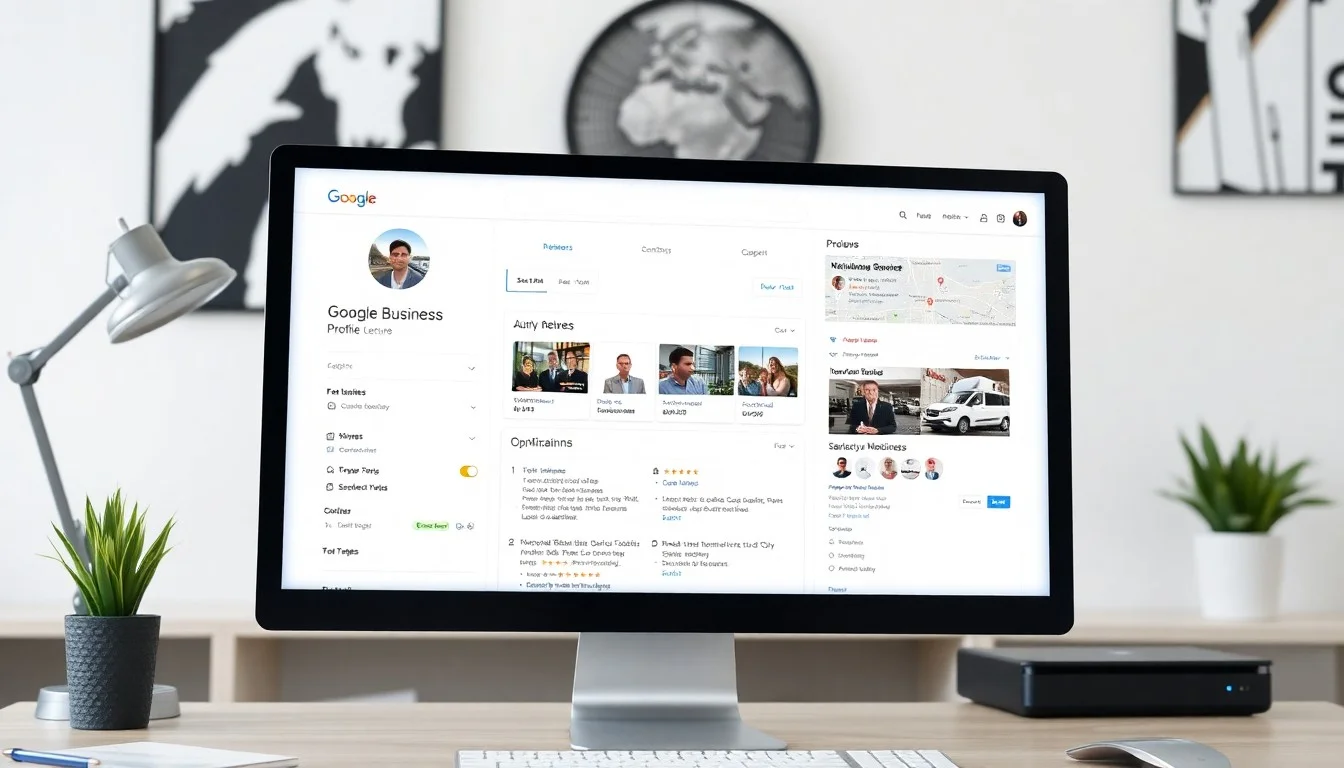
Google Business Profile Optimization: Complete Guide to Ranking Higher in 2025
Local search has fundamentally changed how consumers find and choose businesses. Right now, 46% of all Google searches have local intent, and 76% of people who search for something nearby on their smartphone visit a business within 24 hours. Even more striking: 28% of those searches result in a purchase.
Your Google Business Profile (formerly Google My Business) is the single most powerful tool for capturing this intent. When optimized correctly, it can dominate local search results, drive consistent foot traffic, and generate qualified leads on autopilot. Yet most businesses barely scratch the surface of what's possible.
This comprehensive guide reveals everything you need to know about Google Business Profile optimization in 2025. Whether you're just claiming your listing or looking for advanced strategies to outrank competitors, you'll discover proven tactics that drive real results.
What is Google Business Profile? Understanding the Foundation
Google Business Profile (GBP) is your business's digital storefront in Google's ecosystem. It controls how your business appears across Google Search and Google Maps, displaying critical information like your address, hours, phone number, photos, and most importantly—customer reviews.
The Evolution from Google My Business to GBP
In 2021, Google rebranded "Google My Business" to "Google Business Profile," signaling a shift in how the platform functions. The new name reflects its integration directly into Google Search and Maps, making it more accessible for business owners to manage their presence without a separate app.
Key changes in the GBP era:
- Direct editing from Google Search and Maps
- Streamlined mobile management
- Enhanced messaging and customer interaction features
- Deeper integration with Google's local search algorithm
- More robust performance insights
Why GBP Optimization Matters More Than Ever in 2025
Google's local search algorithm has evolved significantly. The 2024 November Core Update placed even greater emphasis on E-E-A-T (Experience, Expertise, Authoritativeness, Trustworthiness) signals, and your Google Business Profile is a primary source of these signals for local businesses.
Recent algorithm updates prioritize:
- Review quality and response rate (businesses that respond to reviews rank higher)
- Photo freshness (recently added photos signal active business)
- Regular posts and updates (demonstrates ongoing engagement)
- Complete and accurate information (partial profiles are penalized)
- Consistent NAP (Name, Address, Phone across the web)
A fully optimized GBP can increase your visibility by 50-200% in local search results, making it one of the highest-ROI marketing activities for local businesses.
Complete GBP Setup Checklist: Getting the Basics Right
Before diving into advanced optimization, you need a rock-solid foundation. This checklist ensures every critical element is properly configured.
Step 1: Claim and Verify Your Business
Action items:
- Search for your business on Google Maps
- Click "Claim this business" or "Own this business?"
- Choose verification method (postcard, phone, email, or instant verification)
- Complete verification process (typically 5-7 days for postcard)
Pro tip: If your business is already claimed by someone else (often a previous owner or employee), request access through Google's support process. Document your ownership proof beforehand.
Step 2: Complete Every Profile Section
Google's algorithm favors complete profiles. Missing information directly impacts your ranking potential.
Essential information to complete:
- Business name: Use your actual business name (no keyword stuffing)
- Category: Primary and secondary categories (covered in depth below)
- Address: Exact physical location or service area
- Phone number: Local phone number (use tracking number if needed)
- Website: Link to your main website
- Hours: Regular hours plus special hours (holidays, events)
- Business description: 750-character value proposition
- Opening date: When you started serving customers
- Attributes: All relevant attributes for your industry
Profile completion benchmark: Aim for 100% completion. Businesses with complete profiles receive 7x more clicks than incomplete profiles.
Step 3: Select Your Business Category with Precision
Your primary category is the most important ranking signal in your GBP. Choose carefully.
Category selection strategy:
-
Primary category: Choose the most specific category that describes your core business
- ✅ Good: "Italian restaurant" (specific)
- ❌ Bad: "Restaurant" (too broad)
-
Secondary categories: Add up to 9 additional categories for other services
- Include variations that customers might search for
- Use categories that competitors rank for
- Don't over-optimize with irrelevant categories
-
Industry-specific category tips:
- Restaurants: Include cuisine type + "restaurant" (not just "restaurant")
- Medical: Use specific specialties (not just "doctor")
- Home services: Include service type + geographic modifier when available
- Retail: Specify product category (not just "store")
Research tool: Check your top 3 competitors' categories by viewing their GBP listings. Use similar category combinations.
Step 4: Craft a Compelling Business Description
You have 750 characters to convince potential customers to choose you. Make every word count.
Effective description formula:
[What you do] + [Who you serve] + [What makes you different] + [Social proof] + [Call to action]
Example (Italian restaurant):
"Mario's Ristorante brings authentic Northern Italian cuisine to downtown Austin. Since 2015, our family-owned restaurant has served handmade pasta, wood-fired pizzas, and traditional recipes passed down through three generations. Rated 4.9 stars with over 500 reviews, we source ingredients from local farms and import specialty items directly from Italy. Perfect for romantic dinners, family celebrations, or business lunches. Reservations available online or call (512) 555-0123."
Optimization checklist:
- ✅ Include primary keyword naturally (1-2 times)
- ✅ Mention location/neighborhood
- ✅ Highlight unique selling proposition
- ✅ Reference social proof (reviews, awards, years in business)
- ✅ Include clear call-to-action
- ❌ Avoid keyword stuffing
- ❌ No promotional language ("best," "cheapest")
- ❌ No HTML, URLs, or special characters
Advanced GBP Optimization Strategies: 20+ Proven Tactics
Now for the strategies that separate dominant local businesses from the competition. Implement these systematically for maximum impact.
1. Optimize Your Business Name (Without Violating Guidelines)
Your business name should be exactly as it appears in the real world. However, if your legal business name includes location or service descriptors, you can include them.
Acceptable:
- "Austin Family Dental" (if that's your legal name)
- "Joe's Pizza Downtown" (if it's on your signage)
Violations:
- "Austin Family Dental | Best Dentist in Austin"
- "Joe's Pizza | Italian Restaurant Downtown Austin"
Strategy: If your business name doesn't include keywords, compensate through other optimization areas (categories, description, posts, reviews).
2. Master the Primary and Secondary Category Selection
Categories directly influence what searches you appear in. Strategic category selection can unlock entirely new traffic sources.
Advanced category research:
- Use the GBP category research tool in your dashboard
- Analyze top-ranking competitors for your target keywords
- Check what categories appear in rich results for your search terms
- Test secondary categories by monitoring ranking changes in GBP insights
Example strategy (HVAC contractor):
- Primary: "HVAC contractor"
- Secondary: "Air conditioning repair service," "Furnace repair service," "Air conditioning contractor," "Heating contractor," "Air duct cleaning service"
This configuration ensures you appear for both broad HVAC searches and specific service searches.
3. Leverage Service Areas for Service-Based Businesses
If you serve customers at their location rather than having them visit you, configure service areas correctly.
Service area configuration:
- Option 1: List specific cities you serve (up to 20)
- Option 2: Define radius from your business location (up to 2 hours away)
Best practice: Be specific about cities you actively serve. Google now cross-references service areas with review locations and website content for validation.
Don't: List every city in your state. Google's algorithm can detect overreach and may penalize your profile.
4. Optimize Your Phone Number Strategy
Your phone number is a critical trust signal and conversion point.
Phone number best practices:
- Use a local area code (not toll-free) for better local SEO
- Maintain consistent number across all online listings
- Consider call tracking numbers that forward to maintain consistency
- Enable messaging features for additional contact options
- Set up separate numbers for different locations (multi-location businesses)
Advanced tactic: If you use call tracking, ensure the tracking number is consistent across all citations and your website. Google validates phone numbers across the web.
5. Create a High-Converting Website Link Strategy
The website URL in your GBP should lead to the most relevant, conversion-optimized page.
Website link options:
- Single location: Link to homepage or dedicated landing page
- Multi-location: Link to location-specific page
- Service business: Consider linking to primary service page
Add appointment link: Use the "Appointment" button feature to link directly to booking pages. This creates an additional CTA and improves conversion rates.
Menu link (restaurants): Upload or link to your menu. Complete menu data increases engagement and helps Google understand your offerings.
6. Master Your Business Hours Configuration
Hours affect more than just customer convenience—they impact your ranking and visibility.
Hours optimization checklist:
- ✅ Set regular hours for each day
- ✅ Configure special hours for holidays (plan 3 months ahead)
- ✅ Add "More hours" section for specific departments or services
- ✅ Enable "Open 24 hours" if applicable
- ✅ Mark temporary closures accurately
- ✅ Update hours immediately when they change
Critical: Inaccurate hours generate negative reviews and hurt your reputation. Set up calendar reminders to update holiday hours in advance.
7. Optimize Your Business Address (For Physical Locations)
Address accuracy affects local search ranking and customer trust.
Address optimization:
- Use official USPS format exactly
- Include suite/unit numbers if applicable
- Ensure consistency across all online listings
- For multi-tenant buildings, verify your business appears on building directories
- Never use a virtual office or PO box for local businesses (violates guidelines)
Validation: Use USPS address validation tool to confirm correct formatting.
Photos and Visual Optimization: The Hidden Ranking Factor
Google has confirmed that businesses with photos receive 42% more requests for directions and 35% more clicks to their websites. Photos are a major ranking and conversion factor.
The Complete GBP Photo Strategy
Your visual content strategy should cover multiple photo categories, each serving a specific purpose.
Photo categories to optimize:
- Logo: Clean, recognizable brand mark
- Cover photo: Hero image that defines your business (updated seasonally)
- Interior photos: 5-10 photos showing your space
- Exterior photos: Building exterior, signage, parking (helps customers find you)
- Product photos: Key products or menu items (10-20 photos minimum)
- Team photos: Staff members (builds trust and personalization)
- At work photos: Service delivery, kitchen, operations (transparency)
- Identity photos: Additional branding and atmosphere images
Upload frequency: Add new photos weekly. Regular uploads signal an active, engaged business to Google's algorithm.
Technical Photo Specifications for Maximum Impact
Google has specific technical requirements and recommendations for photos.
Optimal specifications:
- Format: JPG or PNG
- Resolution: Minimum 720px wide x 720px tall
- Ideal resolution: 1080px x 1080px or higher
- File size: Under 5MB
- Aspect ratio: Square (1:1) or landscape (4:3) perform best
- Quality: High-resolution, well-lit, professional appearance
Photo optimization checklist:
- ✅ Shoot in good lighting (natural light preferred)
- ✅ Use high-quality camera (professional or modern smartphone)
- ✅ Show accurate representation of products/services
- ✅ Include people when appropriate (increases engagement)
- ✅ Avoid heavy filters or editing
- ✅ No watermarks, promotional text, or borders
- ✅ Compress without losing quality (use TinyPNG or similar)
Strategic Photo Content That Converts
Beyond technical specs, certain photo types drive higher engagement and conversions.
High-converting photo strategies:
For restaurants:
- Signature dishes in professional lighting
- Happy customers enjoying meals (with permission)
- Chef preparation shots
- Ambiance photos of dining room during service
- Seasonal or special menu items
For service businesses:
- Before/after photos (especially powerful)
- Team in action providing service
- Happy customers (with testimonials)
- Specialized equipment or tools
- Completed projects or transformations
For retail:
- Best-selling products
- Store layout and browsing experience
- Product displays and merchandising
- Seasonal or new arrivals
- Shopping bags, packaging (brand experience)
For healthcare:
- Modern, clean facility
- Waiting areas and patient rooms
- Staff in professional settings
- Medical equipment (shows capability)
- Patient comfort features
Photo engagement boost: Photos uploaded by the business owner are labeled "By owner" and receive higher priority in the photo carousel.
Video Optimization for GBP
Video is still underutilized on GBP, creating an opportunity to stand out.
Video best practices:
- Length: 30 seconds to 1 minute (sweet spot for engagement)
- Format: MP4, maximum 100MB
- Content: Business tour, service demonstration, customer testimonials
- Quality: 720p minimum, 1080p preferred
- First 3 seconds: Capture attention immediately (most users scroll fast)
Video ideas:
- Virtual tour of your location
- "Meet the team" introductions
- Service or product demonstration
- Customer testimonial compilation
- Behind-the-scenes content
Google Posts: Your Direct Channel to Local Customers
Google Posts appear in your GBP knowledge panel and give you a direct way to communicate with potential customers. Yet fewer than 30% of businesses use them consistently.
Types of Google Posts and When to Use Each
Google offers several post types, each designed for specific purposes.
Post types:
- Update posts: General news, announcements, seasonal messages
- Event posts: Specific events with date, time, and RSVP options
- Offer posts: Promotions, discounts, special deals with coupon codes
- Product posts: Highlight specific products with prices
Posting frequency: Aim for 1-2 posts per week minimum. Posts remain visible for 7 days (updates) or until the event/offer date passes.
Creating High-Impact Google Posts
Each post has specific character limits and formatting options.
Post optimization formula:
- Headline: 58 characters (attention-grabbing, benefit-focused)
- Description: 1,500 characters max (100-150 words is ideal)
- Photo: Required, use high-quality images (same specs as regular photos)
- Call-to-action button: Choose appropriate CTA (Learn More, Reserve, Sign Up, Buy, Order)
- Link: Direct users to relevant landing page
Example high-performing post (restaurant):
Headline: "New Fall Menu Available Now"

Description: "Experience autumn flavors with our new seasonal menu featuring butternut squash ravioli, maple-glazed salmon, and pumpkin panna cotta. Chef Maria's exclusive recipes showcase local farm ingredients. Available for dine-in and takeout through November 30th. Reservations recommended for weekend evenings."

CTA: Reserve
Photo: Beautiful plated seasonal dish
Link: Reservation page
Strategic Google Posts Calendar
Create a posting calendar to maintain consistency and cover all important topics.
Monthly posting strategy:
- Week 1: New products, services, or menu items
- Week 2: Special offers or promotions
- Week 3: Educational or value-driven content
- Week 4: Events, community involvement, or team spotlights
Seasonal considerations:
- Plan holiday promotions 4-6 weeks ahead
- Create event posts for all holidays (even if you're just highlighting special hours)
- Seasonal service reminders (HVAC tune-ups, tax season, etc.)
Content themes that perform well:
- Behind-the-scenes content
- Customer success stories
- New team member introductions
- Community involvement and local partnerships
- Seasonal tips related to your industry
- Limited-time offers with urgency
Reviews and Q&A Management: The Ranking Multiplier
Reviews are the most powerful ranking factor for local search, and managing them effectively can dramatically improve your visibility. This is where the connection between GBP optimization and strategic review management becomes critical.
How Reviews Impact Your GBP Rankings
Google's local search algorithm weighs reviews across multiple dimensions:
- Review quantity: More reviews signal popularity and trust
- Review recency: Fresh reviews signal active, current business
- Review rating: Higher average ratings correlate with better rankings
- Review velocity: Consistent flow of reviews (not sudden spikes)
- Review response rate: Businesses that respond rank higher
- Review keywords: Google reads review content for relevance signals
The review response advantage: According to Google, businesses that respond to reviews are seen as 1.7x more trustworthy, and responding boosts your ranking directly. We covered the complete review response strategy in our previous guide, but here's how it connects to GBP optimization.
The GBP Review Optimization Strategy
Managing reviews at scale requires systems and tools, especially as your review volume grows.
Review management framework:
1. Generate consistent reviews:
- Request reviews from every satisfied customer
- Use automated review request systems (via SMS or email)
- Make it easy with direct review links
- Time requests strategically (after positive interactions)
2. Respond to every review (positive and negative):
- Respond within 24-48 hours maximum
- Use personalized responses (not templates)
- Thank customers specifically for their feedback
- Address concerns professionally in negative reviews
- Include subtle keywords naturally in responses
3. Monitor review signals:
- Track review velocity week-over-week
- Monitor average rating trends
- Identify common themes (positive and negative)
- Respond to review trends proactively
The challenge: As you grow, manually managing reviews becomes impossible. Checking multiple platforms, crafting personalized responses, and maintaining consistency requires significant time investment.
The solution: This is exactly why we built Reply Fast. Our platform monitors all your reviews across Google, Facebook, Yelp, and TripAdvisor, generates AI-powered personalized responses, and helps you maintain the response rate and consistency that Google rewards. Learn more about our reputation management approach.
Optimizing Your Q&A Section
The Questions & Answers section is often overlooked but appears prominently in your GBP listing.
Q&A optimization strategy:
1. Seed your Q&A section:
- Have friends or employees ask common questions
- Cover your most frequent customer inquiries
- Include questions about services, pricing, location, etc.
2. Provide comprehensive answers:
- Answer in 100-200 words with detail
- Include relevant keywords naturally
- Add helpful information customers need
- Update answers as information changes
3. Monitor and respond quickly:
- Check Q&A section weekly minimum
- Answer new questions within 24 hours
- Flag inappropriate questions for removal
- Upvote helpful questions from others
Common Q&A topics to cover:
- Parking and accessibility
- Payment methods accepted
- Booking/appointment process
- Pricing ranges or consultation costs
- Specialty services or unique offerings
- COVID-19 policies or health measures
- Difference between you and competitors
Google Business Profile Insights: Data-Driven Optimization
Your GBP dashboard provides powerful analytics to guide your optimization efforts. Understanding these metrics helps you make strategic decisions.
Key Metrics to Track Weekly
Discovery metrics:
- Direct searches: People searching your business name
- Discovery searches: People searching your category/services
- Branded vs. discovery ratio: Health indicator of your market presence
Engagement metrics:
- Profile views: Total views of your GBP listing
- Search queries: What searches led to your profile
- Photo views: Which photos get the most attention
- Photo quantity comparison: How you compare to similar businesses
Action metrics:
- Website clicks: Direct traffic from GBP
- Direction requests: People navigating to your location
- Phone calls: Calls initiated from GBP
- Messages: Customer messages through GBP
Goal: Increase discovery searches (indicates you're capturing relevant search traffic), maintain high engagement rate, and maximize action conversions.
Using Insights for Strategic Decisions
Raw data only matters if it drives action. Here's how to use insights strategically.
If direct searches are high but discovery is low:
- Expand secondary categories
- Add more service-specific content in posts
- Optimize business description with broader keywords
- Increase review generation (reviews contain keyword signals)
If profile views are high but actions are low:
- Improve photo quality and variety
- Strengthen your business description and value proposition
- Add more specific service information
- Ensure accurate hours and contact info
- Add appointment/booking links
If photo views are low:
- Upload more photos (quantity matters)
- Improve photo quality
- Add more variety in photo types
- Update photos more frequently
If certain search queries are driving traffic:
- Incorporate those keywords in posts
- Create content around those topics
- Consider adding related secondary categories
Competitive Benchmarking Through Insights
GBP provides comparison data showing how you stack up against similar businesses.
Benchmarking strategy:
- Check your photo quantity vs. competitors (aim for top 25%)
- Compare total reviews vs. average for your category
- Monitor your ranking position for key search terms
- Track your growth rate vs. market trends
Use this data to set targets:
- "Add 15 more photos to reach top quartile"
- "Generate 10 reviews this month to match competitor average"
- "Post 2x per week to exceed competitor posting frequency"
Common GBP Mistakes That Hurt Rankings
Even experienced business owners make critical mistakes that limit their GBP performance. Avoid these pitfalls.
Mistake #1: Inconsistent NAP (Name, Address, Phone) Across the Web
Google cross-references your GBP information with other citations across the internet.
The problem: If your business name, address, or phone number differs across directories, Google loses confidence in your data accuracy.
Example inconsistencies:
- Address: "123 Main St" vs. "123 Main Street" vs. "123 Main St, Suite 100"
- Phone: (512) 555-0123 vs. 512-555-0123 vs. 5125550123
- Name: "Joe's Pizza" vs. "Joe's Pizza Downtown" vs. "Joe's Pizzeria"
The fix:
- Audit your top 20 citations (Yelp, Facebook, BBB, industry directories)
- Standardize format across all platforms
- Update inconsistent listings systematically
- Use citation management tools for scale
Mistake #2: Keyword Stuffing in Business Name
Desperate for rankings, some businesses add keywords to their business name.
Examples of violations:
- "Smith Dental | Best Dentist Austin | Family Dentistry"
- "Joe's Pizza - Italian Restaurant - Pizza Near Me"
Why it hurts:
- Violates Google's guidelines (risks suspension)
- Looks spammy to potential customers
- Competitors can report violations
- Short-term gains, long-term disaster
The right approach: Use your actual business name only. Optimize through description, categories, posts, and reviews instead.
Mistake #3: Ignoring Negative Reviews or Deleting Them
Some businesses panic when receiving negative reviews and either ignore them or try to have them removed.
The problem:
- Ignored negative reviews signal poor customer service
- Only 53% of customers expect a response, so responding sets you apart
- Attempting to remove legitimate reviews can backfire
The right approach:
- Respond professionally and promptly to every negative review
- Address concerns specifically
- Offer to resolve issues offline
- Show future customers you care about feedback
Our complete guide to responding to negative reviews provides templates and strategies for turning negative reviews into positive opportunities.
Mistake #4: Set-It-and-Forget-It Management
Many businesses claim and optimize their GBP once, then never touch it again.
Why this fails:
- Google favors active, regularly updated profiles
- Information becomes outdated (hours, services, photos)
- Competitors who actively manage will outrank you
- You miss opportunities to engage customers through posts
The solution: Schedule weekly GBP management time:
- Monday: Check and respond to new reviews
- Wednesday: Add new photos or update existing ones
- Friday: Create and publish new post
- Monthly: Review insights and adjust strategy
Mistake #5: Using Low-Quality or Stock Photos
Professional photos require investment, so some businesses use smartphone snapshots or stock photos.
Why this hurts rankings and conversions:
- Low-quality photos reduce trust
- Stock photos lack authenticity (customers can tell)
- Dark, blurry, or poorly composed photos drive users away
- Google's algorithm can detect image quality
The investment:
- Hire professional photographer: $200-500 for half-day shoot
- DIY with modern smartphone: Follow photo guidelines above
- Update photos seasonally: Fresh photos signal active business
ROI: Quality photos can increase profile engagement by 30-40%, far outweighing the initial investment.
Mistake #6: Duplicate Listings
Sometimes businesses accidentally create multiple listings for the same location.
How this happens:
- Previous owner created listing, new owner creates another
- Moved locations and created new listing without deleting old one
- Different departments or employees claimed the same business
- Google automatically generated a listing
The problem:
- Splits your reviews across multiple profiles
- Confuses customers with inconsistent information
- Dilutes your ranking signals
- Both listings may be suppressed by Google
The fix:
- Search for all instances of your business on Google Maps
- Request ownership of duplicate listings
- Merge duplicates through Google Business Profile support
- Redirect old listings to current one if relocation occurred
Mistake #7: Not Utilizing All Available Attributes
Attributes are specific details about your business that help customers make decisions.
Commonly missed attributes:
- Accessibility features (wheelchair accessible, accessible parking)
- Amenities (free Wi-Fi, parking availability, outdoor seating)
- Crowd preferences (LGBTQ+ friendly, family-friendly)
- Health and safety (mask required, staff wears masks)
- Payment options (credit cards, contactless payment, checks)
- Service options (dine-in, takeout, delivery, curbside pickup)
Why they matter:
- Attributes appear in search filters
- They help customers determine fit before visiting
- They signal comprehensive information to Google
- Some attributes can trigger special search features
The fix: Review all available attributes for your category monthly and select every relevant option.
Advanced Local SEO Integration
Your GBP doesn't exist in isolation. Maximum impact comes from integrating it with your broader local SEO strategy.
Creating NAP Consistency Across the Citation Ecosystem
Citations (mentions of your business name, address, and phone number) across the web reinforce your GBP's authority.
Priority citation sources:
- Data aggregators: Infogroup, Localeze, Factual, Neustar
- Major directories: Yelp, Facebook, Apple Maps, Bing Places
- Industry-specific directories: Health-related, legal, home services, etc.
- Local directories: Chamber of Commerce, local business associations
- Review platforms: TripAdvisor, Angi, Better Business Bureau
Citation building strategy:
- Claim and optimize profiles on top 20 directories
- Ensure 100% NAP consistency
- Use identical business description where possible
- Link to your website consistently
- Add photos to directory listings
- Monitor and update quarterly
Tools for citation management:
- BrightLocal (citation tracking and building)
- Moz Local (citation management)
- Yext (expensive but comprehensive)
- Manual audit via spreadsheet (most control)
GBP and On-Site SEO Synchronization
Your website and GBP should reinforce each other's signals.
Synchronization checklist:
1. Schema markup on website:
{
  "@context": "https://schema.org",
  "@type": "LocalBusiness",
  "name": "Your Business Name",
  "address": {
    "@type": "PostalAddress",
    "streetAddress": "123 Main Street",
    "addressLocality": "Austin",
    "addressRegion": "TX",
    "postalCode": "78701"
  },
  "telephone": "+1-512-555-0123",
  "openingHours": "Mo-Fr 09:00-17:00",
  "image": "https://yoursite.com/image.webp",
  "priceRange": "$$"
}
2. Embed Google Map:
- Add GBP map embed to contact/location pages
- Signals to Google that your website and GBP are connected
3. Review integration:
- Display Google reviews on your website
- Use Google's review badge or API
- Signals consistency and builds trust
4. Consistent NAP in footer:
- Display exact same NAP as GBP in website footer
- Format identically across all pages
5. Location pages for multi-location businesses:
- Create unique page for each location
- Include unique content, photos, and local information
- Link each page to corresponding GBP listing
Link Building to Your GBP
Most businesses focus on building links to their website, but links to your GBP listing also strengthen it.
GBP link building tactics:
1. Link from your website:
- Add "Find us on Google" or "Leave a review" buttons
- Link directly to your GBP listing
- Include in email signatures
2. Get mentioned in local press:
- Pitch local news stories
- Sponsor community events
- Provide expert commentary to local journalists
3. Local partnerships:
- Get listed on partner websites
- Join local business associations (with online directories)
- Collaborate with complementary businesses
4. Customer communication:
- Include GBP link in post-service emails
- Share GBP link in newsletters
- Add to printed materials and receipts
Link format: Use your GBP short URL (find it in your dashboard: g.page/yourbusiness)
GBP Optimization for Specific Industries
Different industries have unique optimization opportunities and challenges. Here's how to optimize for specific verticals.
Restaurants and Food Service
Key focus areas:
- Menu: Upload complete menu with descriptions and pricing
- Photos: Invest heavily in food photography (biggest factor)
- Attributes: Dine-in, takeout, delivery, outdoor seating, reservations
- Posts: Weekly specials, new menu items, seasonal offerings
- Reviews: Food quality, service, atmosphere, specific dishes
Advanced tactic: Create separate posts for signature dishes with professional photos. Use offer posts for daily specials or happy hour promotions.
Healthcare and Medical Practices
Key focus areas:
- Credentials: Include specialties and certifications in description
- Attributes: Accepts new patients, accessible entrance, mask required
- Photos: Clean, modern facility; friendly staff; patient comfort
- Q&A: Insurance accepted, new patient process, parking/directions
- Reviews: Focus on bedside manner, wait times, staff friendliness
Advanced tactic: Use posts to share health tips, seasonal reminders (flu shots), and new patient specials. Always respond to reviews with HIPAA compliance in mind.
Home Services (HVAC, Plumbing, Electrical)
Key focus areas:
- Service areas: Clearly define cities/neighborhoods served
- Attributes: Emergency service, free estimates, licensed and insured
- Photos: Before/after project photos, trucks, team in branded uniforms
- Posts: Seasonal maintenance reminders, emergency availability
- Reviews: Emphasize response time, quality of work, professionalism
Advanced tactic: Create seasonal campaigns (AC tune-ups before summer, furnace checks before winter) using offer posts with coupon codes.
Professional Services (Legal, Accounting, Consulting)
Key focus areas:
- Specialization: Be specific about practice areas/services
- Credentials: Certifications, bar admissions, years of experience
- Photos: Professional office, team in business attire, consultation areas
- Attributes: Free consultation, online appointments, payment plans
- Reviews: Highlight expertise, results, communication, responsiveness
Advanced tactic: Use posts to share insights on regulatory changes, tax deadlines, or legal updates relevant to your clients.
Salons, Spas, and Personal Care
Key focus areas:
- Services: Complete list with pricing ranges
- Attributes: Online booking, walk-ins welcome, unisex, private rooms
- Photos: Results (before/after), facility, products used
- Posts: New services, seasonal promotions, stylist spotlights
- Reviews: Specific service praise, stylist names, atmosphere
Advanced tactic: Feature individual stylists/practitioners in posts with their specialties and booking links. Rotate monthly to build personal brands.
Retail Stores
Key focus areas:
- Products: Highlight best-sellers and unique inventory
- Attributes: In-store shopping, curbside pickup, delivery
- Photos: Store interior, product displays, merchandise, shopping experience
- Posts: New arrivals, sales events, seasonal collections
- Reviews: Product selection, customer service, return policies
Advanced tactic: Use product posts to feature specific items with prices. Update weekly with new arrivals or sales to keep profile fresh.
Review Management Synergy: Where GBP Meets Reply Fast
Throughout this guide, we've emphasized that review management is inseparable from GBP optimization. Your review strategy directly impacts your rankings, visibility, and conversions.
The Review Management Challenge at Scale
As your business grows, review management becomes exponentially more complex:
Multi-platform complexity:
- Google Business Profile
- Facebook Business Page
- Yelp
- TripAdvisor
- Industry-specific platforms
- Website reviews
Time investment:
- Checking each platform daily
- Crafting personalized responses
- Monitoring review trends
- Requesting reviews from customers
- Managing negative feedback
For multi-location businesses, multiply this by each location.
How Reply Fast Solves the GBP Optimization Challenge
Reply Fast was built specifically to address the review management bottleneck that limits GBP optimization.
Key features that enhance your GBP:
1. Multi-platform monitoring:
- Automatic syncing from Google, Facebook, Yelp, TripAdvisor
- Single dashboard for all reviews across all locations
- Real-time notifications for new reviews
2. AI-powered personalized responses:
- Generate custom responses that feel authentic (not templated)
- Maintain brand voice across all responses
- Include subtle keywords naturally for SEO benefit
- One-click approval and publishing
3. Response rate optimization:
- Never miss a review across any platform
- Respond within minutes instead of days
- Maintain the 90%+ response rate that Google rewards
4. Review generation system:
- Automated review request campaigns
- Direct links to your GBP listing
- Timing optimization for maximum response rates
5. Analytics and insights:
- Track review velocity and trends
- Monitor average ratings across platforms
- Identify common themes and issues
- Measure impact of review strategy on rankings
The GBP impact: Businesses using Reply Fast typically see:
- 3-5x increase in review response rate
- 40% reduction in time spent on review management
- Improved GBP rankings within 30-60 days
- Higher review generation rates (easier to request with confidence)
Strategic advantage: When you're responding faster and more consistently than competitors, Google recognizes your engagement and rewards it with better rankings. Combined with the other optimization strategies in this guide, active review management becomes your competitive moat.
Start your free trial of Reply Fast to implement the review management strategy that complements your GBP optimization.
GBP Optimization Maintenance Schedule
Optimization isn't a one-time event. Use this schedule to maintain and improve your performance.
Daily Tasks (5 minutes)
- Check for new reviews and respond
- Monitor questions in Q&A section
- Check messages and respond to inquiries
Weekly Tasks (30 minutes)
- Upload 2-3 new photos
- Create and publish 1 Google Post
- Review insights dashboard
- Check for and respond to any outstanding reviews
Monthly Tasks (2 hours)
- Comprehensive insights analysis
- Update business description if needed
- Audit photos and remove low-quality images
- Review and update attributes
- Check for duplicate listings
- Update special hours for upcoming holidays
- Competitor analysis (check their GBP strategies)
- Review request campaign check-in
Quarterly Tasks (4 hours)
- Complete citation audit
- Update service offerings or products
- Professional photo shoot (seasonal)
- Review and adjust categories if needed
- Analyze review trends and adjust operations
- Update business description based on seasonal changes
- Create quarterly posting calendar
- Benchmark against competitors
Annual Tasks (1 day)
- Comprehensive GBP audit
- Professional branding photoshoot
- Review overall local SEO strategy
- Update long-term posting themes
- Analyze year-over-year performance
- Set goals for next year
- Strategic planning session for review generation
Measuring Your GBP Optimization Success
Track these KPIs to measure the effectiveness of your optimization efforts.
Primary Metrics
Search performance:
- Direct vs. discovery search ratio (goal: 40/60)
- Total search impressions month-over-month
- Ranking position for target keywords
Engagement:
- Profile views (track growth rate)
- Photo views (compare to similar businesses)
- Post impressions and engagement rate
Conversions:
- Website clicks (track conversion rate on website)
- Direction requests
- Phone calls
- Messages
- Booking/appointment clicks
Review metrics:
- Review quantity (growth rate)
- Average rating (maintain or improve)
- Response rate (goal: 90%+)
- Review velocity (consistent flow)
Setting Realistic Benchmarks
Your industry and location affect what's achievable. Use these general benchmarks:
Profile views:
- Good: 500+ per month (small local business)
- Great: 2,000+ per month (established local business)
- Excellent: 5,000+ per month (dominant market leader)
Reviews:
- Good: 1-2 new reviews per week
- Great: 5-10 new reviews per week
- Excellent: 15+ new reviews per week
Response rate:
- Minimum: 75%
- Good: 90%
- Excellent: 95%+
Actions/Views ratio:
- Good: 20% of viewers take an action
- Great: 30% take an action
- Excellent: 40%+ take an action
ROI Calculation Framework
Calculate the return on your GBP optimization investment:
Monthly GBP-attributed revenue:
- Website clicks × conversion rate × average transaction value
- Direction requests × visit rate × conversion rate × average transaction
- Phone calls × answer rate × conversion rate × average transaction

Cost of optimization:
- Time investment (hours × your hourly rate)
- Tools (Reply Fast, photo editing, etc.)
- Professional services (photography, etc.)

ROI = (Revenue - Cost) / Cost × 100
Example calculation:
- 500 website clicks × 3% conversion × $150 average = $2,250
- 200 direction requests × 60% visit × 20% conversion × $150 = $3,600
- 100 calls × 80% answer × 30% conversion × $150 = $3,600
- Total monthly revenue: $9,450
- Monthly cost (4 hours at $100/hr + $29 Reply Fast): $429
- ROI: 2,103%
Most businesses see 500-2000% ROI on GBP optimization efforts.
Common Questions About Google Business Profile Optimization
How long does it take to see results from GBP optimization?
Initial results appear within 2-4 weeks for basic optimizations (photos, description, complete profile). More competitive ranking improvements take 60-90 days of consistent optimization and review generation.
The fastest results come from:
- Responding to reviews (can see ranking boost within days)
- Adding missing information (immediate visibility improvement)
- Uploading quality photos (engagement increase within 1-2 weeks)
Can I optimize multiple GBP locations from one dashboard?
Yes. If you have multiple locations, you can manage all of them through a single Google Business Profile manager account. However, each location needs its own listing with unique content, photos, and optimization.
For businesses with 10+ locations, tools like Reply Fast become essential for managing reviews and engagement at scale.
Do I need a physical location to have a Google Business Profile?
Not necessarily. Service-area businesses (plumbers, contractors, consultants) can have GBP listings without displaying a physical address. However, you must have a physical location in the area you serve (no virtual offices or PO boxes), and you'll need to verify your business through Google's verification process.
How do I handle competitors who are gaming the system?
Some competitors violate Google's guidelines (keyword stuffing in business name, fake reviews, etc.). You can report violations through the "Suggest an edit" feature on their listing or through Google's Business Profile support.
However, focus your energy on legitimate optimization. Competitors gaming the system often get caught eventually, and building a sustainable strategy always wins long-term.
Should I respond to positive reviews, or just negative ones?
Respond to every review, both positive and negative. Google's algorithm favors businesses with high response rates, and responding to positive reviews:
- Shows appreciation to customers
- Encourages others to leave reviews
- Provides opportunity to include keywords
- Builds community and engagement
Use Reply Fast to efficiently respond to all reviews without the time drain.
What if I have multiple businesses at the same address?
If you operate multiple distinct businesses from the same location (e.g., a lawyer with separate practices, or a building with multiple businesses), each can have its own GBP listing. However, they must:
- Have different business names
- Offer different services/products
- Have different phone numbers
- Have separate customer-facing operations
If they're just different departments of the same business, they should share one GBP listing.
How do I recover from a suspended Google Business Profile?
GBP suspensions happen for guideline violations. To recover:
- Identify the violation (Google usually provides reason)
- Fix the issue (remove keyword stuffing, verify you meet guidelines, etc.)
- Request reinstatement through GBP dashboard
- Provide documentation if requested
- Wait for manual review (typically 3-5 business days)
If denied, you can appeal again with additional documentation. Avoid creating a new listing—this will make recovery harder.
Can I delete negative reviews from my GBP?
You cannot delete legitimate negative reviews. However, you can flag reviews that violate Google's policies:
- Fake reviews from non-customers
- Spam or promotional content
- Off-topic reviews
- Prohibited or restricted content
- Reviews with conflicts of interest
Flag these through the three-dot menu on the review. Google will review and remove if they violate policies. Focus on responding professionally to legitimate negative reviews instead of trying to remove them.
What's the difference between GBP categories and services?
Categories define your overall business type and determine what searches you appear in. You can select 1 primary category and up to 9 secondary categories.
Services are specific offerings within your business that you can list with descriptions. These appear in a dedicated "Services" section of your profile and provide more detail about what you offer.
Use both strategically for maximum visibility.
Your Complete GBP Optimization Checklist
Use this checklist to audit and optimize your Google Business Profile systematically.
✅ Basic Setup & Verification
- [ ] Business claimed and verified
- [ ] Correct business name (no keyword stuffing)
- [ ] Accurate, USPS-formatted address
- [ ] Local phone number (consistent across web)
- [ ] Website URL to most relevant page
- [ ] Proper primary category selected
- [ ] 5-9 secondary categories added
- [ ] Complete business description (750 characters)
- [ ] Opening date added
- [ ] Business hours for every day
- [ ] Special hours for upcoming holidays
✅ Visual Content
- [ ] High-quality logo uploaded
- [ ] Professional cover photo
- [ ] 10+ interior photos
- [ ] 5+ exterior photos
- [ ] 15+ product/service photos
- [ ] Team photos added
- [ ] At-work photos showing operations
- [ ] All photos meet technical specs (1080px, good lighting)
- [ ] Photos uploaded within last 30 days
- [ ] At least 1 video uploaded
✅ Attributes & Details
- [ ] All relevant attributes selected
- [ ] Service options clearly marked
- [ ] Payment methods listed
- [ ] Accessibility features indicated
- [ ] Amenities highlighted
- [ ] Menu uploaded (restaurants)
- [ ] Services list created with descriptions
- [ ] Products added (if applicable)
- [ ] Appointment/booking link added
✅ Content & Engagement
- [ ] Google Posts published in last 7 days
- [ ] Posting calendar created (1-2x weekly)
- [ ] Q&A section seeded with common questions
- [ ] All Q&A questions answered
- [ ] Messaging enabled and monitored
- [ ] All recent reviews responded to
- [ ] Response templates created for efficiency
- [ ] Review generation system implemented
✅ Advanced Optimization
- [ ] NAP consistency verified across top 20 citations
- [ ] Website schema markup matches GBP data
- [ ] Google Map embedded on website
- [ ] Reviews displayed on website
- [ ] GBP link added to website footer/header
- [ ] Email signature includes GBP link
- [ ] Duplicate listings merged or removed
- [ ] Local partnerships established with cross-linking
- [ ] Competitor GBP listings analyzed
- [ ] Industry-specific optimizations implemented
✅ Monitoring & Maintenance
- [ ] Weekly insights review scheduled
- [ ] Daily review monitoring system (via Reply Fast)
- [ ] Monthly photo upload calendar
- [ ] Quarterly citation audit scheduled
- [ ] Annual professional photoshoot planned
- [ ] KPIs tracked in spreadsheet or dashboard
- [ ] Response rate above 90%
- [ ] Review velocity consistently positive
Take Action: Your Next Steps to GBP Domination
Google Business Profile optimization is not a quick fix—it's an ongoing strategy that compounds over time. Every photo uploaded, every review responded to, and every post published strengthens your position in local search.
Your 30-Day GBP Optimization Sprint
Week 1: Foundation
- Complete every section of your profile to 100%
- Upload 15+ high-quality photos across all categories
- Audit and fix NAP inconsistencies across the web
- Set up review monitoring system
Week 2: Content & Engagement
- Create and publish 2 Google Posts
- Seed Q&A section with 10 common questions
- Respond to all outstanding reviews
- Add all relevant attributes
Week 3: Visual Enhancement
- Schedule professional photoshoot or DIY photo session
- Create 1 video tour or demonstration
- Upload photos from photoshoot
- Update cover photo to seasonal/branded image
Week 4: Systems & Scale
- Implement review request system
- Create posting calendar for next 3 months
- Set up Reply Fast for automated review management
- Build citation tracking spreadsheet
- Schedule ongoing maintenance tasks
The Review Management Advantage
As you've seen throughout this guide, review management is inseparable from GBP optimization success. Your ability to consistently generate reviews, respond quickly, and maintain high ratings directly impacts your rankings.
The manual approach fails at scale. Checking multiple platforms, crafting authentic responses, and maintaining consistency becomes a time sink that limits growth.
Reply Fast solves this problem. Our platform handles the repetitive work while you focus on serving customers:
- Never miss a review across any platform
- Generate personalized AI responses in seconds
- Maintain 90%+ response rate automatically
- Track review trends and sentiment
- Generate more reviews with automated campaigns
The result? Better GBP rankings, more visibility, and more customers—without the time investment.
Ready to optimize your review management? Start your free trial of Reply Fast and implement the review strategy that makes everything else in this guide work better.
Download Your Free GBP Optimization Checklist
We've created a downloadable PDF checklist covering every optimization tactic in this guide. Print it out and check off items as you complete them.
Download the Complete GBP Optimization Checklist PDF
Continue Learning
This guide is part of our complete local business growth series:
- Part 1: Online Reputation Management Strategy - Build a reputation that attracts customers
- Part 2: Review Response Templates & Tactics - Respond to any review professionally
- Part 3: Google Business Profile Optimization (you are here)
- Part 4: How to Get More Customer Reviews (coming soon)
- Part 5: Local SEO Complete Guide (coming soon)
Master each piece, and you'll dominate your local market.
About Reply Fast: We help local businesses dominate local search by making review management effortless. Our AI-powered platform monitors all your reviews, generates personalized responses, and helps you maintain the engagement that Google rewards. Start your free trial today.
Last updated: January 15, 2025
Related Articles

Google Review Automation: How to Scale Review Management Without Losing Authenticity
Learn how to automate Google review management at scale while maintaining authentic customer connections. Complete guide to automation workflows, AI-assisted responses, and implementation roadmap.
Best Review Management Software for Local Businesses in 2025: Complete Comparison
In-depth comparison of 8 leading review management platforms. See features, pricing, pros and cons to find the best software for your business size and needs.